
How to get started?
Want to try AutoBrief but not sure where to begin?
Step 1: What do you want to achieve with AutoBrief?
Faster ad publishing
With AutoBrief, you can publish vehicles to all major marketplaces with a single click.
No more manual data entry, logging into multiple portals, or refreshing listings.
Basic publishing is available already in the Mini plan, while full integration with all portals is included in the Starter plan.
Recommendation: use the CarPeak app for vehicle photography.
Photos are automatically synced to the system, so your vehicle is ready for publishing in just a few minutes.
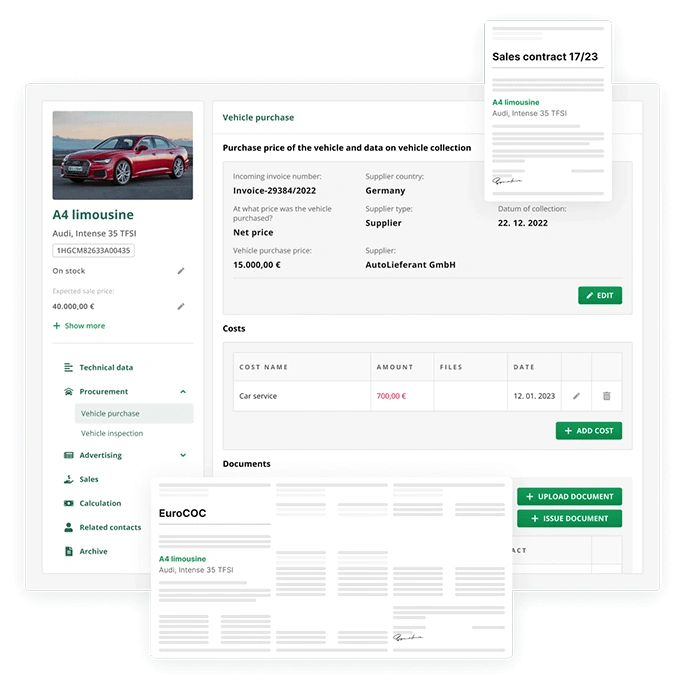
Stock and document management
For a clear overview of vehicles, sales, invoices, and documents, the Starter plan is the ideal choice.
You manage all business processes in one place – without spreadsheets, folders, or additional software.
Recommendation: for larger companies, we suggest the Pro plan, which includes business analytics and user permission management.
Managing the entire business
The Starter or Pro plan is ideal for dealers who want everything digital and paper-free.
All your data is always available – wherever you are.
The Starter plan works equally well for sole traders and larger dealerships with multiple employees.
Recommendation: give each team member their own user account, so you always know who issued a specific invoice.
Step 2: Sign up
Register on AutoBrief and choose the plan that best fits the way you work.
For better transparency and control, we recommend that each team member has their own user account – this makes it easier to track team activity and responsibilities.
Recommendation: when you sign up, you get a 14-day free trial.
During this period, we suggest testing the Starter or Pro plan to explore all available features. After the trial ends, you can easily switch to the Mini plan and continue using AutoBrief without any issues.
Step 3: Try all features.
After registration, you’ll see a checklist of basic steps designed to help you quickly get familiar with the system and its features.
Recommendation: set aside at least one uninterrupted hour to explore the platform. With a bit of focused time, you’ll be using AutoBrief confidently within just a few days.
Step 4: Get help
In the bottom-left corner of the AutoBrief app, you’ll always find the Support Center.
There you can access helpful articles, step-by-step guides, and video tutorials that walk you through using the system.
If you can’t find what you’re looking for, you can always reach out to our team via live chat – we’re happy to help.
How AutoBrief quickly becomes part of your routine:
Switch to automation - and let AutoBrief do the shifting for you.
Starting with a new system can feel unfamiliar at first — just like the first time you drive a car with an automatic gearbox.
At the beginning, you instinctively look for the clutch. After a few drives, you think:
“Why didn’t I do this sooner?”
It’s the same with AutoBrief.
Once you move from paper folders, spreadsheets, and multiple tools to one connected system, your work becomes faster, clearer, and far less stressful.